Are you running into problems when installing or uploading a plugin or theme within WordPress? This could be caused by mod_security. You can easily (temporarily) disable this module.
Do you have multiple domain names within your account? Then first click on the relevant domain in DirectAdmin. Do you have only one domain name? Then it will be automatically selected within DirectAdmin.
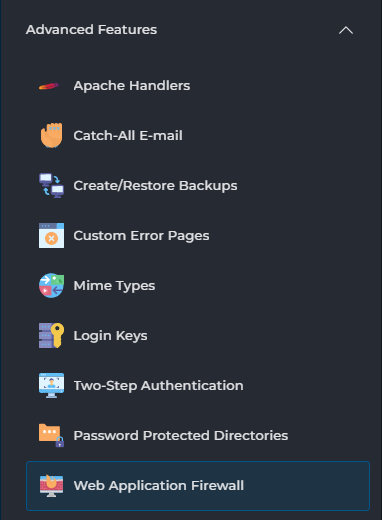
Then, on the left side under Advanced Features, choose Web Application Firewall:
Then click on Modify on the right, behind the domain name:

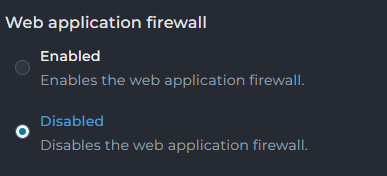
Under Web application firewall, choose Disabled and click Save Configuration at the bottom:

It may take a few minutes before the change is active.
We recommend turning the module back on once you've solved your problem. Mod_security protects against many known security issues, and this protection is continuously updated as new vulnerabilities are discovered. If you disable the module entirely, you'll miss out on that protection.
Would you rather not disable the entire module, but only a specific rule? That's possible. On the same page, go to Disabled rules:
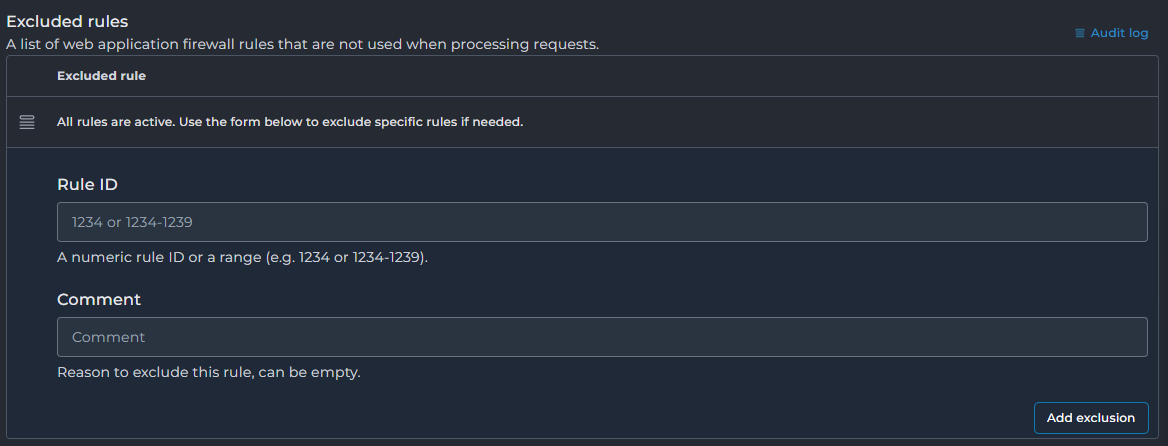
Here you enter the ID of the rule and can optionally add a comment, for example explaining why you disabled this rule.