You can easily protect a folder on your website with a login and password. Here's how:
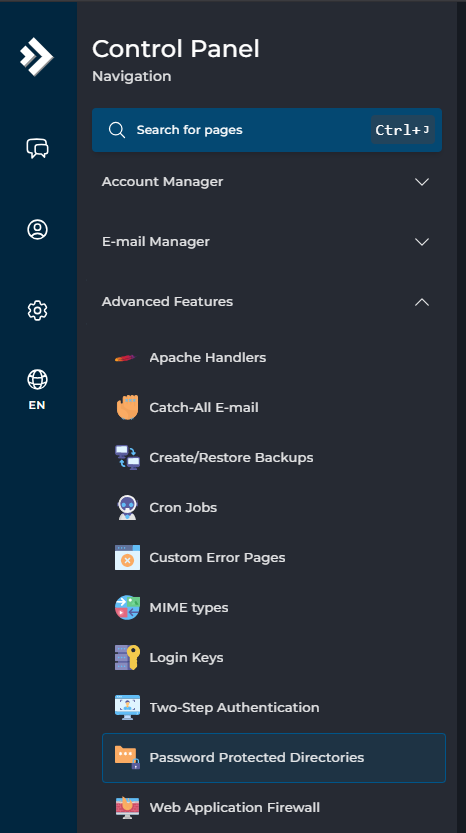
Log in to the control panel and click through to DirectAdmin. Here, in the bottom left under Advanced Features, go to Password Protected Directories:
On the right side you'll see a list of domain names. Behind the desired domain name, choose the ADD PROTECTED DIRECTORY button:

Then choose the folder you want to protect and enter a name under Directory Realm, for example: Member's area:

Then click Protect. You will now see a screen where you can set up users. Enter a username and password here and choose ADD USER:

Finally, choose UPDATE REALM at the bottom:

If you now access the folder via your browser (for example yourdomainname.com/test), you will see a pop-up. You must then enter the login details before you can view the folder or page.
Do you want to protect your entire website with a password? Then follow the same steps, but for the public_html folder.
Do you want to remove the protection again? Go to the screen where you set up the users and choose Remove Protection:
