Create a backup with Installatron
Did you install your website (for example WordPress) via Installatron in the control panel? Then you can also easily create and restore backups with Installatron.
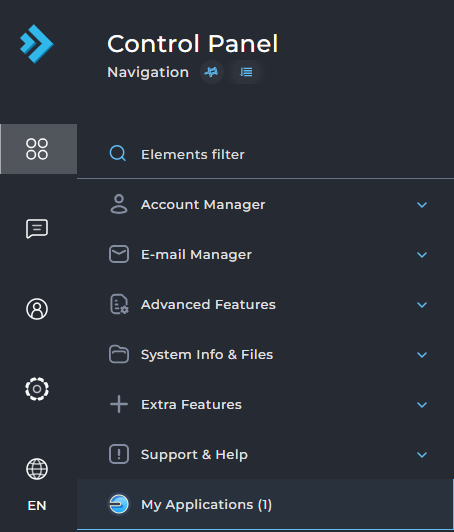
Do you want to create a backup of a script or CMS that you installed with Installatron? Go to DirectAdmin and select My Applications on the left:
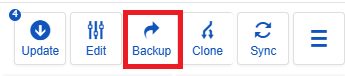
In the screen that opens, you'll see a number of icons next to the name of your website. Click the icon with the arrow pointing right.
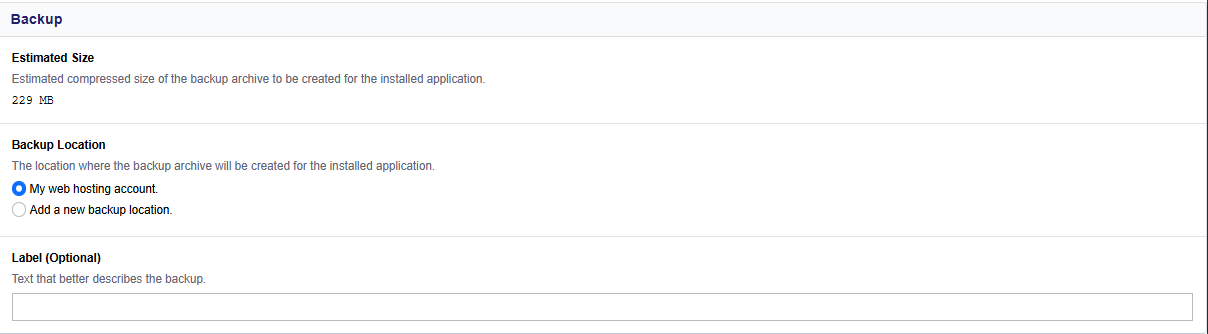
Fill in the requested information in the screen that appears. You can have the backup stored on the server within your hosting package at bHosted, but you can also choose to have the backup written away to an FTP server. In that case, fill in the details of your FTP server:
How do I restore a backup in Installatron?
After you've created a backup, you can easily restore it. In DirectAdmin, under My Applications, click on an installation and select My backups in the top right:
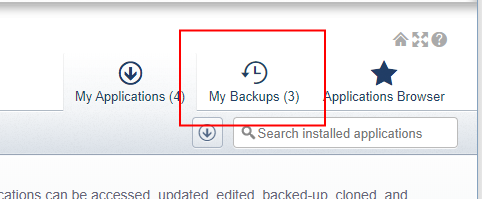
You will now see an overview of all backups that have already been created. Hover your mouse over the icons next to each backup to see an explanation of what each icon does: you can edit the backup's description, download the backup file, restore the backup, or delete it.