You're probably getting this message because your iPhone isn't logging in to the outgoing mail server. Do you use bHosted's outgoing mail server? Then you need to adjust the following settings on your iPhone so you can send email normally again.
Go to Settings and choose Mail, Contacts, Calendar. Select the correct email account from the list and tap Account. You'll then see this screen:

Tap SMTP at the bottom of the screen. You'll then see the following screen:
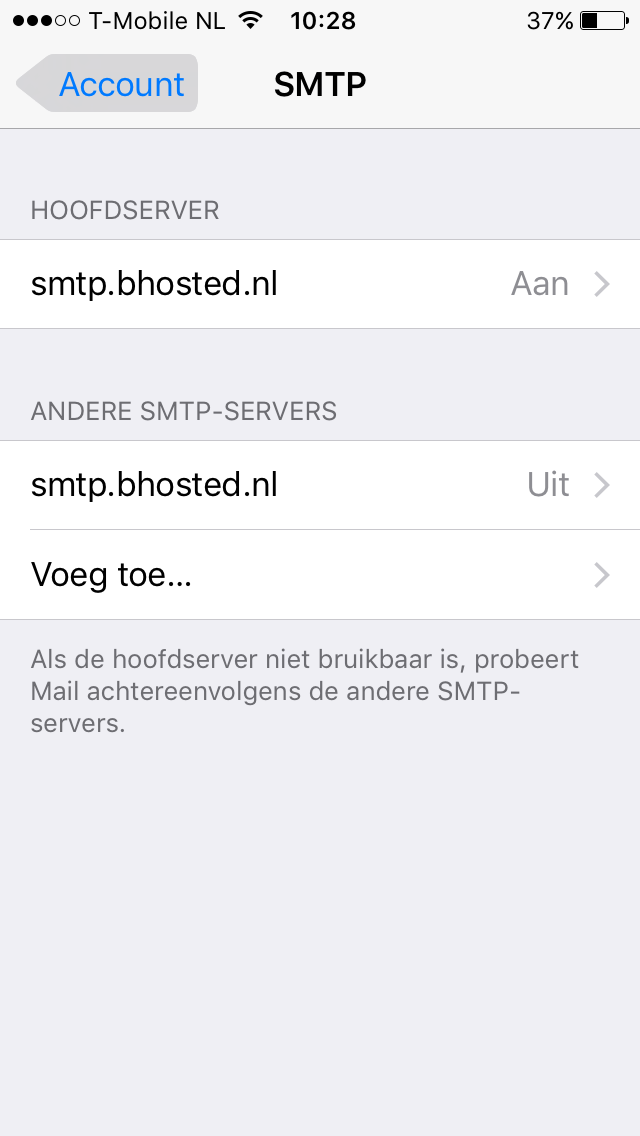
On this screen, under PRIMARY SERVER, tap ON. In the screen that opens, enter the details as shown below. Replace info@bhosted-tutorials.nl with your own email address and enter the password for your email address in the password field:
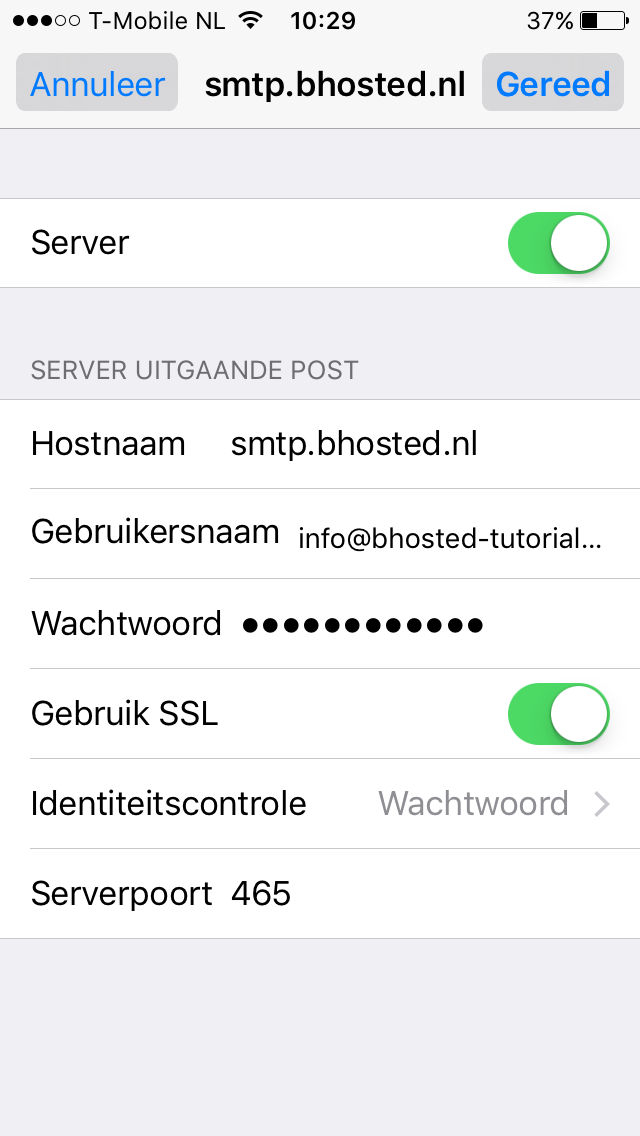
After making these changes, tap Done. Your email will now be sent normally again.