Are you setting up your own mail server for a domain? Then it's important to also report this within the bHosted.nl mail environment. You can easily arrange this by logging in to the control panel.
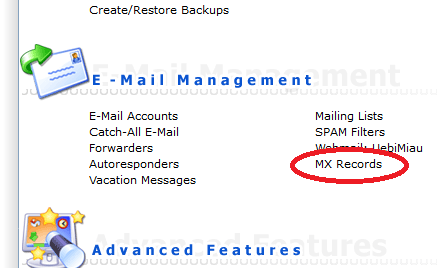
Once logged in, click through to directAdmin via directAdmin control panel. Do you first see an overview with multiple domains? Then choose the correct domain name. In the menu that appears next, choose MX Records:
Do you no longer want email to be received by the bHosted.nl mail servers, and instead have all mail arrive directly on the server the MX records point to? Then uncheck the box on the screen that opens.
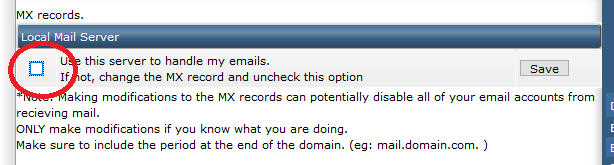
Click Save to save your choice.