e-Mail is accepted by the bHosted mail servers as soon as you meet at least 1 of the following 2 conditions:
- A forward / forwarder has been set up
- An email address / email account exists
For 1 email address, you can also set up both at the same time. If you do, incoming mail for that address will be both kept on the server and forwarded to the configured address.
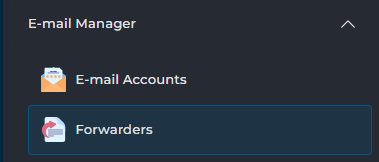
The easiest way to set this up is via the control panel. Log in and navigate to the DirectAdmin control panel. There, go to E-mail Manager at the bottom left: choose E-Mail Accounts to create a new mailbox, and Forwarders to set up a forward.
Need help?
Can't figure it out? Please contact our helpdesk. We'll be happy to help you further.