Do you want to view an overview of your invoices or download an invoice? You can easily do this via your account in the bHosted control panel.
Step-by-step: viewing invoices
- Log in to your account Go to https://mijn.bhosted.nl and log in with your username and password.
- Click on your name in the top right corner After logging in, click on your name in the top right corner to open the menu.
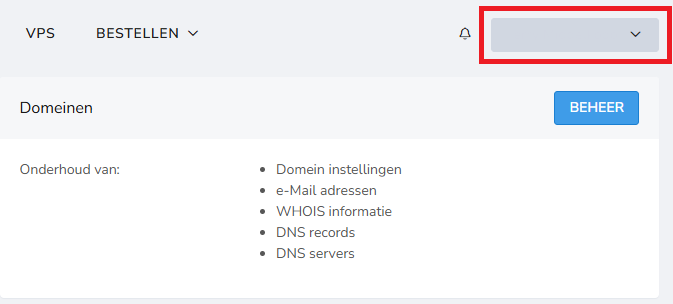
-
Click on "Invoices" In the dropdown menu, select "Invoices". You will now see the page with an overview of all your invoices.
-
View or download your invoice In the overview, you can:
- View invoices
- Download invoices (for example as PDF)
- See the status of an invoice (paid or outstanding)
Want to view an invoice? Click on the invoice number. Want to download an invoice? Click on the download button next to the invoice under actions:

Want to pay an invoice directly? Check out this article. Would you rather set up automatic direct debit? Check out this article.
What can you see in the invoice overview?
In the overview you will find, among other things:
- Invoice number
- Date of the invoice
- Amount
- Status (paid / outstanding)
Questions about your invoices?
Do you have questions about your invoices? Feel free to contact the bHosted helpdesk.