Do you have a domain name registered with another provider that you still want to use? No problem, you can easily add it to your account.
Follow the steps below:
-
Go to the control panel via mijn.bhosted.nl
-
Log in with your account details
-
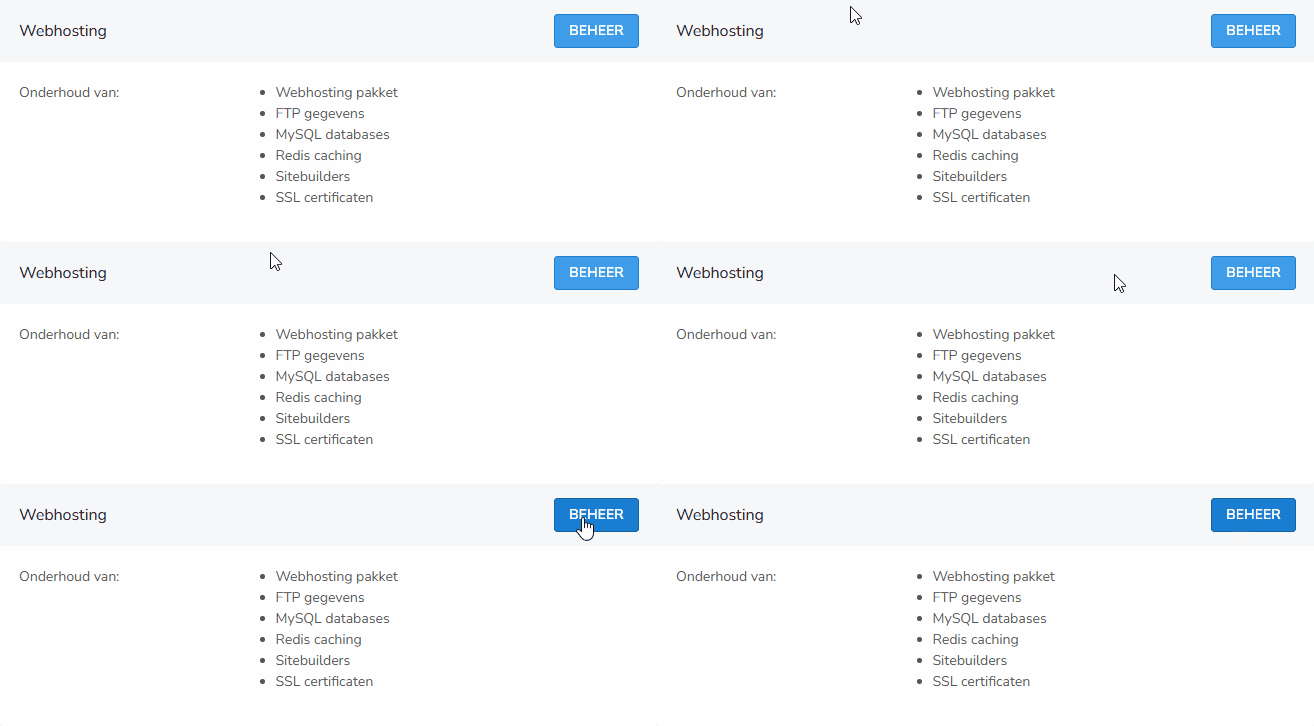
Click on Domains in the menu and select Manage
-
Click on Host existing domain in the top right corner

-
Enter the domain name you want to add and click add
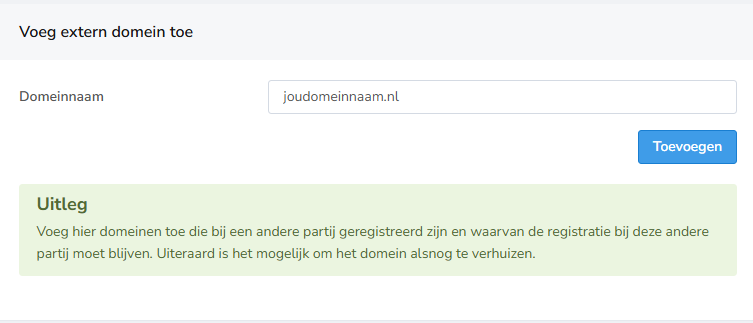
After that, the external domain is added to your account and you can continue setting it up.
Adding the domain to bHosted DNS servers
Do you want to activate the DNS with us? Then go back to webhosting management and click on the domain name. Select DNS editor on the right:

Then click on the button Add to bHosted.nl DNS servers:

After that, adjust the nameservers at the party where the domain is registered, so that the DNS becomes fully active with us. You can read how to do this in this article.
Important
- Make sure the domain's DNS settings point to bHosted
- The domain remains registered with your current provider
- Changes to the DNS may take some time before they are active worldwide
Questions about external domain names?
Do you have questions or are you having trouble adding an external domain name? Feel free to contact the bHosted helpdesk. We are happy to help you.