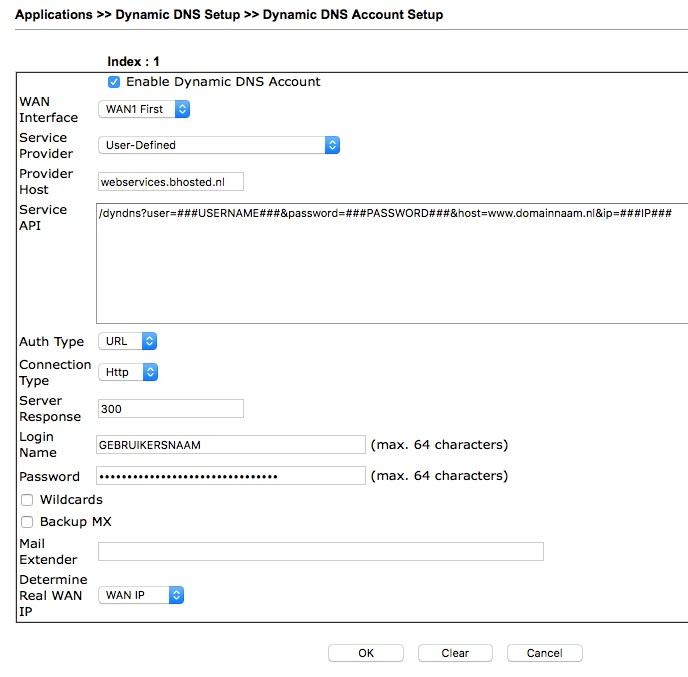
Do you want to set up Dynamic DNS on your Draytek router? Then follow the settings below. With Dynamic DNS, your router automatically updates the IP address of a DNS record as soon as the IP address of your internet connection changes. Handy, because this way you don't have to keep an eye on it yourself.
You only need to change the "Login Name" and "Password" to your own details. Please note: your password must be converted to MD5. You can easily do this for free via the page below:
Create an MD5 hash of your password here
Also adjust the "Server API": where it currently says www.domeinnaam.nl, enter your own domain name.