In this article you'll learn how to easily change the PHP version of your website within DirectAdmin and how to adjust PHP settings if needed.
Logging in to DirectAdmin
- Go to https://mijn.bhosted.nl
- Log in with your username and password
- Click the Directadmin Paneel button in the main menu

Changing the PHP version
Follow these steps to change the PHP version:
-
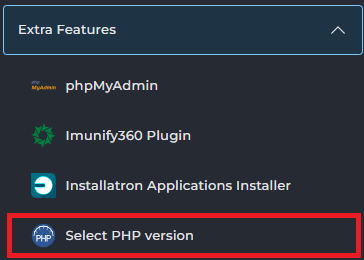
Click Select PHP Version in the menu on the left (under Extra Features)
-
Click the currently selected version to display the available versions
-
Select the PHP version you want to use
-
Click Apply to save the change
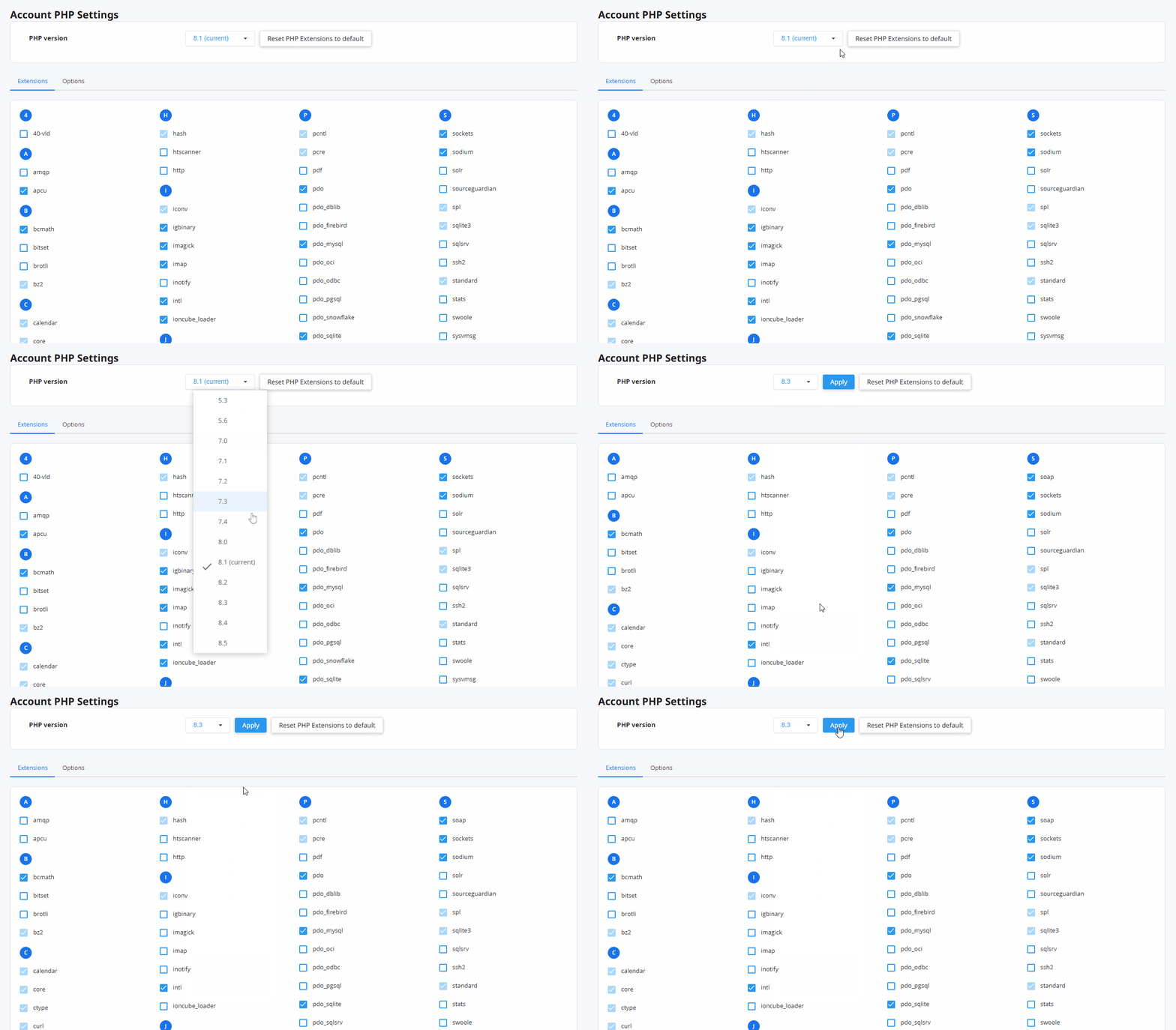
Here you can also enable or disable PHP modules. Keep in mind that extra modules may affect the speed of your website.
Changing PHP settings
In addition to the PHP version, you can also adjust the settings directly on the same page:
-
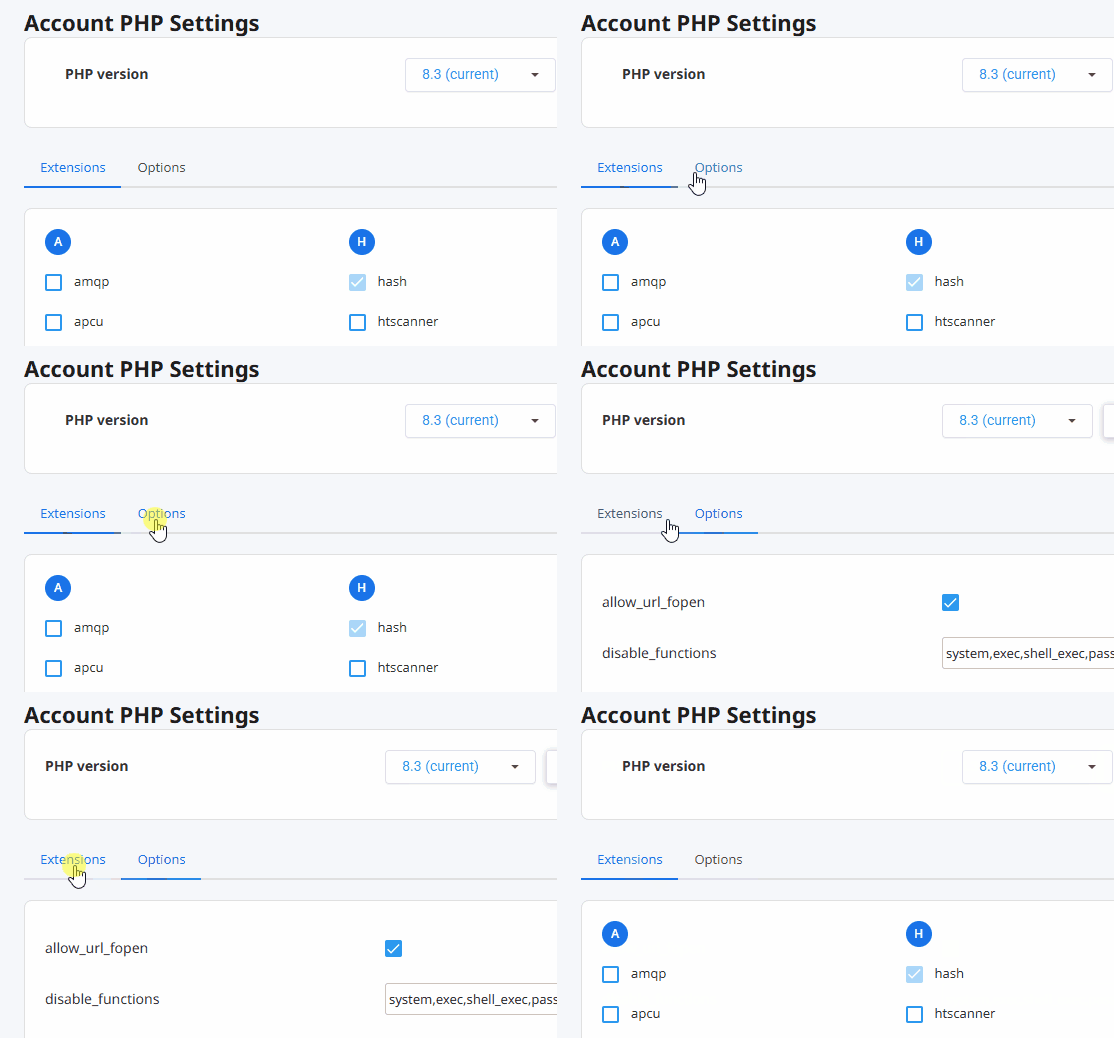
Click the Options tab at the top
-
Adjust the desired settings, for example:
- memory_limit
- post_max_size
- upload_max_filesize
These settings determine, for example, how much memory your website may use or how large uploads may be.
Additional settings via .htaccess
Can't find a setting? Then you can often also set it manually via the .htaccess file. This is mainly intended for advanced users.
Important
Changing the PHP version may affect how your website functions. Therefore, always check after making changes that everything still works properly.
Do you need help changing your PHP version or settings? Feel free to contact the bHosted helpdesk.