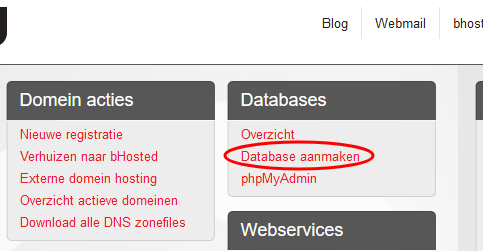
You can easily arrange this in the Control panel. Log in and in the right-hand column, under the heading Databases, choose Create database.
In the screen that opens, choose a name and login for your database:
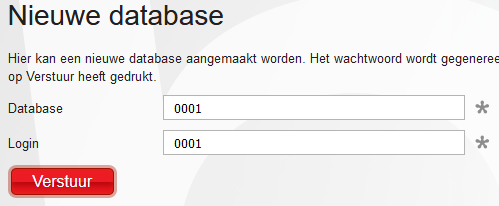
You can simply leave these details as they are. When creating the database, the system automatically adds your login and an underscore before the chosen database name and login. Press Submit, and bHosted immediately generates a password and shows it to you right away.