As a customer, you can log in to the bHosted.nl helpdesk system. There you can immediately see which questions you have ever asked and what their status is. You can also easily ask new questions there.
You log in (or register if you don't yet have an account on the helpdesk system) via the Sign in button, at the top right of the screen. You will then see the following screen:
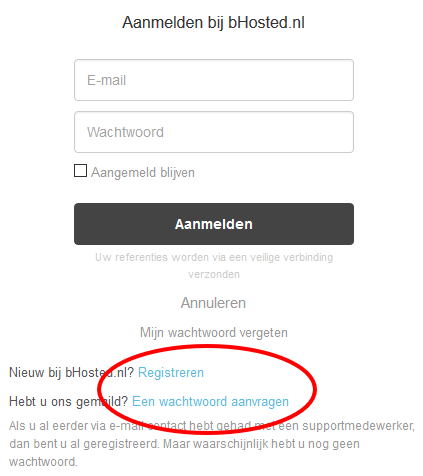
Are you new to the helpdesk system (i.e. have you never logged in before)? Then there are 2 possibilities:
- You have not yet asked a question by email to bHosted.nl
- You have already asked a question by email to bHosted.nl before
In the 1st case, you simply register. This way you make your email address known in the system and choose your own password. Click the Register link to do this.
Have you already asked a question by email before? Then you can request a password for the email address you used to submit that question. Click the Request a password link to do this.