You can set yourself which folders you want to see or not see in the webmail environment.
You do this in Roundcube via Settings, in the top right of the webmail screen.

Then choose Folders on the left side:
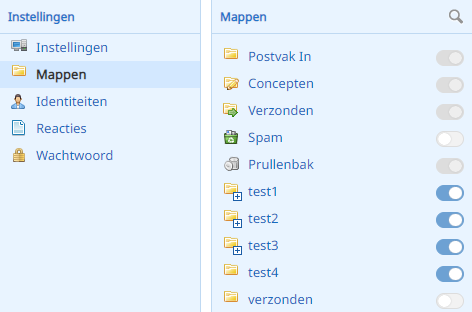
In the Folders column you now see all the folders of your mailbox. Here you can easily turn the visibility of each folder on or off.
Is the slider blue and to the right? Then the folder is visible. Is the slider grey and to the left? Then the folder is hidden.