There can be a few reasons for this. Sometimes the content of the email triggers something, causing the email to get a high spam score. But often it's due to the so-called DKIM signature.
With a mailing list, the email passes through our mail server multiple times, which means multiple DKIM signatures are added to the email. The first DKIM signature (which is created when the owner of the mailing list sends an email to the mailing list address) often becomes invalid afterwards. This is because the mailing list software usually changes the subject of the email. Since the DKIM signature is also calculated over the subject, that DKIM signature is then no longer valid.
You can fix this by instructing the mailing list software in DirectAdmin to remove the first DKIM. You do this in the settings of the relevant mailing list. At the bottom of the mailing list's settings screen, add the following to the Message headers field:
X-Dkim-Remove: Yes
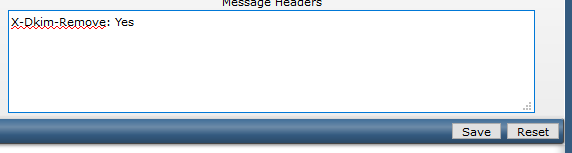
This instructs our mail servers to remove the first DKIM header from the email and calculate a new one over the modified email that is sent to the mailing list recipients.